Christmas Vector Icons Pack: A Designer’s Essential Guide
As the holiday season approaches, many designers and content creators are on the lookout for high-quality visual assets to enhance their Christmas-themed projects. The Christmas Vector Icons Pack offers a convenient and versatile solution with its collection of 50 unique icons. Whether you're designing festive marketing materials, digital illustrations, or website elements, this pack can be a valuable addition to your creative toolkit.
What Is the Christmas Vector Icons Pack?
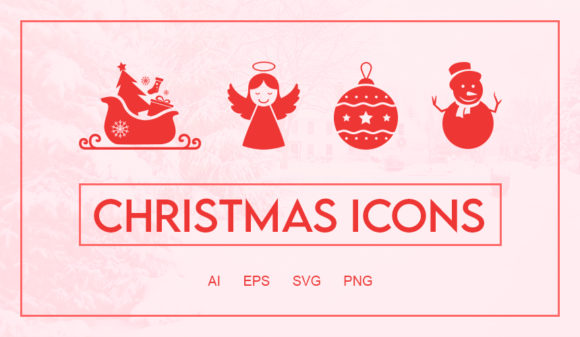
The Christmas Vector Icons Pack is a curated set of scalable vector graphics designed for use in a wide range of applications. These icons include popular holiday symbols like jingle bells, Santa Claus, Christmas trees, gift boxes, snowmen, and more. Each icon is editable, allowing users to customize colors, sizes, and shapes without losing quality.
This pack is ideal for professionals and hobbyists alike who need consistent, professional-looking visuals for their work. From marketers creating social media posts to educators preparing classroom decorations, these icons offer flexibility and ease of use.
Common Mistakes When Choosing Christmas Vector Icons
Selecting the right icon set can be tricky, especially if you're not familiar with what to look for. Here are some common mistakes that might lead to suboptimal results:
- Ignoring Scalability: Some free icon sets may look great at small sizes but lose clarity when scaled up. Always ensure that the icons you choose are vector-based so they remain sharp at any size.
- Overlooking Licensing Terms: Many free resources come with restrictive licenses that limit commercial use. Before downloading, check the terms to avoid legal issues later.
- Choosing Inconsistent Styles: Using icons from different sources can create a disjointed look in your design. The Christmas Vector Icons Pack ensures a cohesive style across all elements.
- Not Checking File Formats: Make sure the icons are available in formats like SVG or EPS, which are best for editing and embedding in various design software.
How These Mistakes Can Impact Your Work
Mistakes in choosing the wrong icon set can affect the professionalism of your project. Poorly scaled icons can make your design look unpolished, while inconsistent styles can confuse viewers and reduce the impact of your message. Additionally, using improperly licensed assets could result in legal complications, especially for businesses.
Practical Tips for Using the Christmas Vector Icons Pack
To get the most out of the Christmas Vector Icons Pack, consider the following tips:
- Plan Your Design First: Know what kind of project you're working on before selecting icons. This helps you pick the right elements and avoid unnecessary downloads.
- Customize Wisely: While the icons are editable, avoid overcomplicating them. Keep the design clean and focused on the main message.
- Use Consistent Colors: Stick to a color palette that aligns with your brand or project theme to maintain visual harmony.
- Test Across Devices: Ensure the icons look good on both desktop and mobile screens, especially if they’ll be used online.
What to Check Before Purchasing or Downloading
If you’re considering purchasing or downloading the Christmas Vector Icons Pack, here are a few things to verify:
- File Format Compatibility: Confirm that the icons are available in formats that work with your preferred design tools (e.g., Adobe Illustrator, Photoshop, or Figma).
- License Permissions: Review the license agreement to understand how you can use the icons—whether for personal, commercial, or editorial purposes.
- Icon Quality and Style: Preview the icons to ensure they match your project's aesthetic and technical requirements.
- Customer Reviews: Read feedback from other users to gauge the reliability and value of the pack.
Realistic Examples and Better Approaches
For instance, imagine you're creating a Christmas-themed blog post. Instead of randomly selecting icons from multiple sources, using the Christmas Vector Icons Pack ensures a unified look. You can easily adjust the size of the Santa hat icon to fit your header or resize the gift box icon for a sidebar graphic.
Another example: If you're designing a holiday flyer, using the same style of icons throughout (like the decorative balls or snowflakes) will create a more cohesive and visually appealing layout than mixing different icon styles.
Always remember that consistency and quality are key. Taking the time to select the right icon set upfront can save you hours of rework later.
Conclusion
The Christmas Vector Icons Pack is a powerful resource for anyone looking to add festive flair to their designs. By avoiding common pitfalls and making informed choices, you can ensure your projects stand out with professional quality and visual appeal. Whether you're a beginner or an experienced designer, this pack provides a reliable foundation for your holiday creative endeavors.