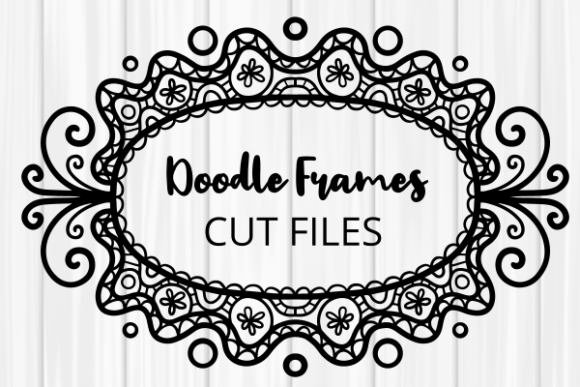
Folk Art Doodle Border Frames Cut Files – A Creative Resource for Designers and Crafters
Folk Art Doodle Border Frames Cut Files are a versatile and visually appealing resource for anyone involved in design, crafting, or digital art. These files offer decorative elements that can be used across a range of mediums, from vinyl cutting to digital printing. Whether you're a beginner or a seasoned professional, understanding how to use these cut files effectively can make all the difference in your projects.
These frames come in various formats, including EPS, SVG, DXF, JPG, and PNG, making them compatible with a wide array of software and machines. However, many users may not fully understand which format is best suited for their specific needs. Choosing the wrong file type can lead to compatibility issues, poor quality prints, or inefficient cutting processes.
Understanding What You Get with Folk Art Doodle Border Frames Cut Files
When purchasing or downloading Folk Art Doodle Frames – Clip Art Cut Files, it's essential to know what you're getting. Typically, these packages include:
- EPS – Inkscape Vector: Ideal for scalable vector graphics, perfect for editing in Inkscape or other vector-based software.
- SVG – Cricut, Silhouette, Brother: Designed for use with popular cutting machines like Cricut and Silhouette. This format is widely used and supports layering and grouping.
- DXF – AutoCad, Graphtec: Best suited for CAD software and industrial cutting machines such as Graphtec.
- JPG – Suitable for Printing – Not Cuttable: High-resolution images suitable for print but cannot be used for cutting.
- Transparent PNG – Suitable for Printing – Not Cuttable: Includes both black line and black line with white fill options. Useful for overlays and print designs.
Before downloading or purchasing, always check which file formats are supported by your design software and cutting machine. Using an incompatible file can result in distorted images, missing layers, or even complete failure to load the design.
Common Mistakes When Working with Folk Art Doodle Border Frames Cut Files
One common mistake is assuming that all file formats work the same way across different platforms. For example, a JPG file might look great on screen but will not cut properly on a Cricut or Silhouette machine. Similarly, using a PNG file for cutting instead of an SVG or DXF can lead to poor results.
Another frequent error is not checking the resolution of the image before printing. While JPG and PNG files are good for print, they may lack the clarity needed for high-quality output if the resolution is too low. Always ensure that the file size and resolution match the requirements of your project.
Some users also overlook the importance of color profiles when preparing files for print. If the colors in the design don't match the final printed product, it can affect the overall appearance and professionalism of the finished piece.
How to Avoid Common Pitfalls
To avoid these mistakes, take the time to research the specifications of your cutting machine and design software. Check the manufacturer’s website for recommended file types and settings. Many cutting machines have specific guidelines for importing SVG or DXF files, and ignoring these can lead to wasted materials and time.
If you're unsure about the best format for your project, consider starting with the most commonly used one—such as SVG for Cricut and Silhouette users. This format offers flexibility and is often the most user-friendly for beginners.
Additionally, always preview your design before cutting or printing. Use the "preview" feature in your software to see how the design will look once applied to your material. This step can save you from costly errors and help ensure that your final product meets your expectations.
Practical Tips for Using Folk Art Doodle Border Frames Cut Files
Here are some practical tips to help you get the most out of your Folk Art Doodle Frames – Clip Art Cut Files:
- Check Compatibility First: Before downloading any files, confirm that they are compatible with your software and machine. Look for detailed descriptions or reviews from other users who have used the same equipment.
- Use Layers Wisely: Many SVG files include multiple layers, allowing you to customize your design. Take advantage of this feature to adjust colors, add text, or remove unnecessary elements.
- Test on Scrap Material: If you're new to using cut files, test your design on scrap material first. This allows you to identify any issues without wasting valuable supplies.
- Optimize File Settings: Adjust the settings in your design software to ensure that the file is optimized for your specific machine. This includes setting the correct cutting pressure, speed, and blade depth.
- Explore Customization Options: Don’t be afraid to modify the design to suit your personal style or project needs. Many cut files can be resized, recolored, or layered to create unique effects.
By following these tips, you can maximize the potential of your Folk Art Doodle Border Frames Cut Files and achieve professional-looking results with minimal effort.
Remember, the key to success with these cut files lies in preparation, compatibility, and practice. With the right approach, you can transform simple designs into stunning works of art that reflect your creativity and skill.